Capture exactly what you drag
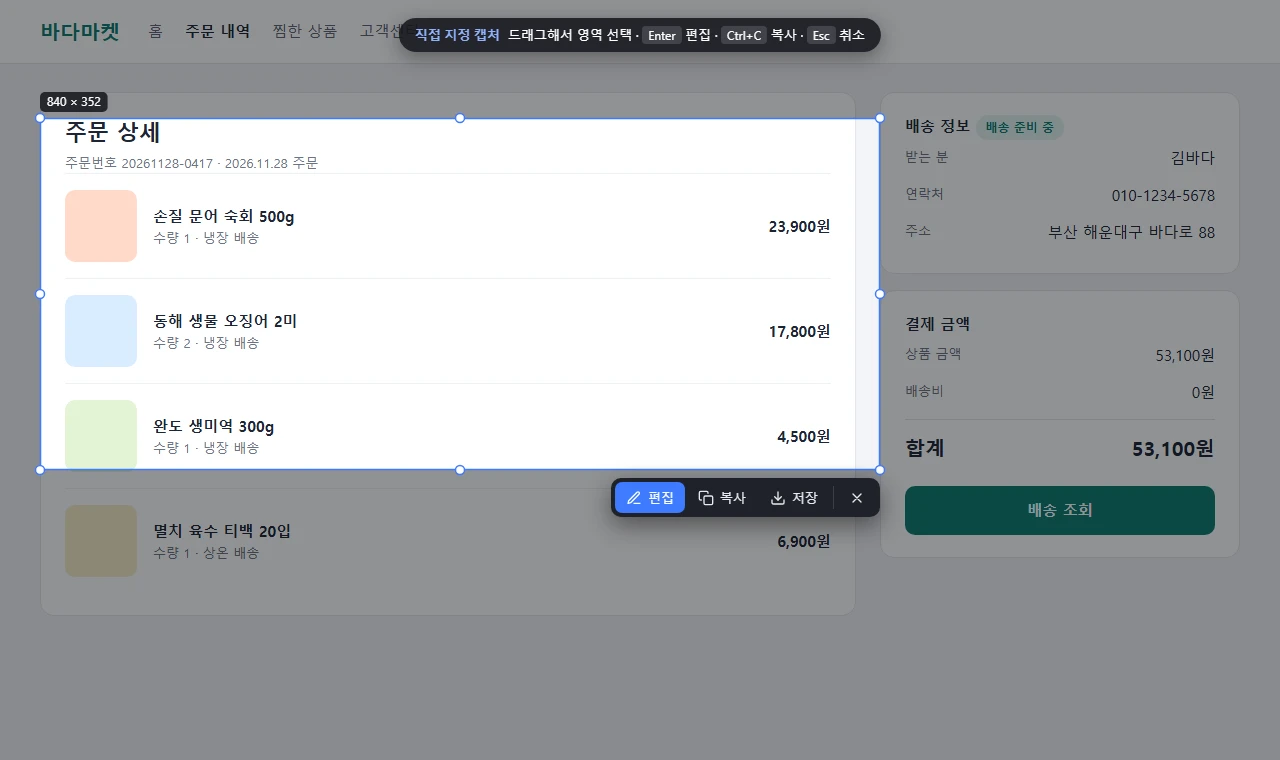
The screen freezes and you drag to pick just the part you want. A magnifier helps you line up every pixel, and you can drag the corners to resize.
Ctrl+Shift+1 Custom area capture
Free, ad-free PC tools — capture, PDF, archives, even video. Pick the ones you need and download them.
Windows 10/11 (64-bit) · 4 tools · Free No ads, no bundled installs

All four islands in the OctoTools sea are now open. One octopus made them all, and they're all free.
 OctoCapture
Capture a region, a single window, the full screen, or a whole long web page, then mark it up right away with text, arrows, and pixelation.
 OctoPDF
View PDFs, add notes and signatures, rearrange pages, and merge or split files.
 OctoZip
Extracts zip, 7z, and rar and creates zip and 7z, without garbling Korean file names.
 OctoPlayer
A player that lets you skim videos like photos, instead of opening them one by one.
One shortcut freezes the screen and opens your selection right in the editor. Every screen below is the real OctoCapture.
The screen freezes and you drag to pick just the part you want. A magnifier helps you line up every pixel, and you can drag the corners to resize.
Ctrl+Shift+1 Custom area capture
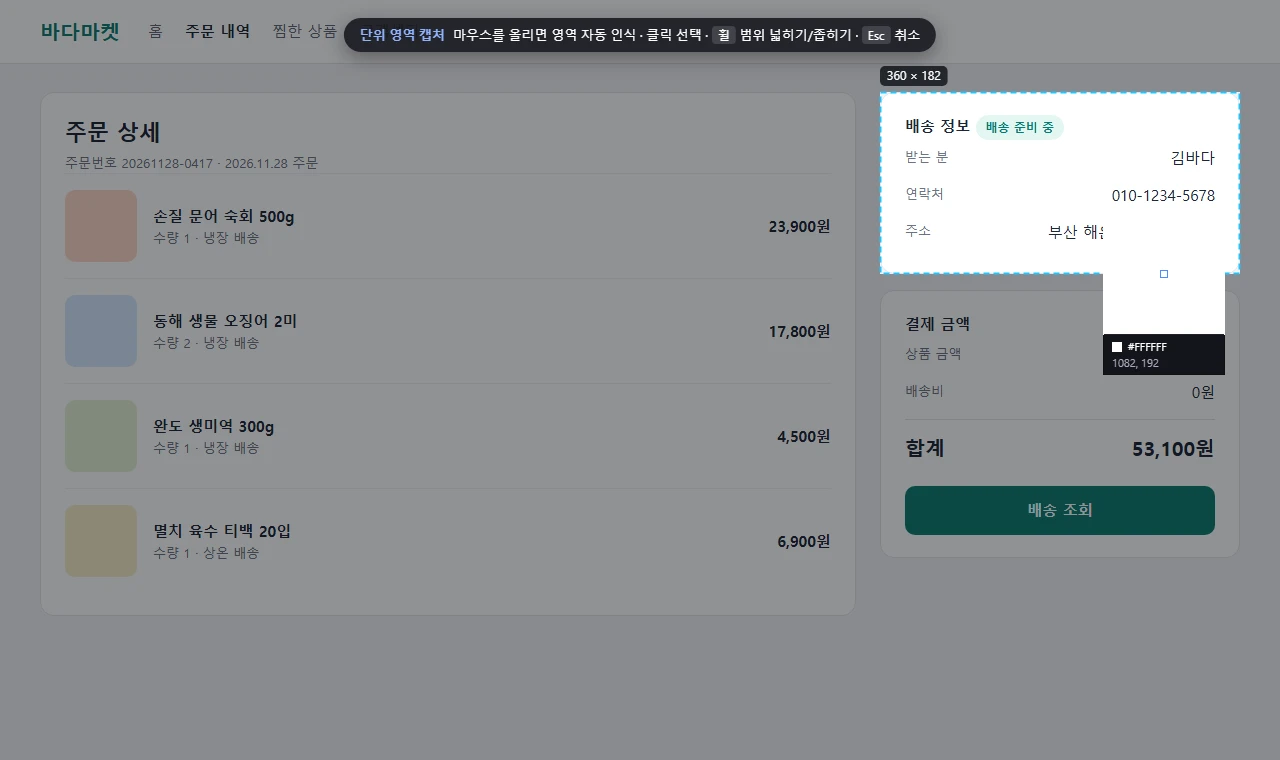
Element capture finds buttons, cards, panels, and other components on its own and outlines them. Roll the mouse wheel to widen or narrow the selection one step at a time.
Ctrl+Shift+5 Element capture
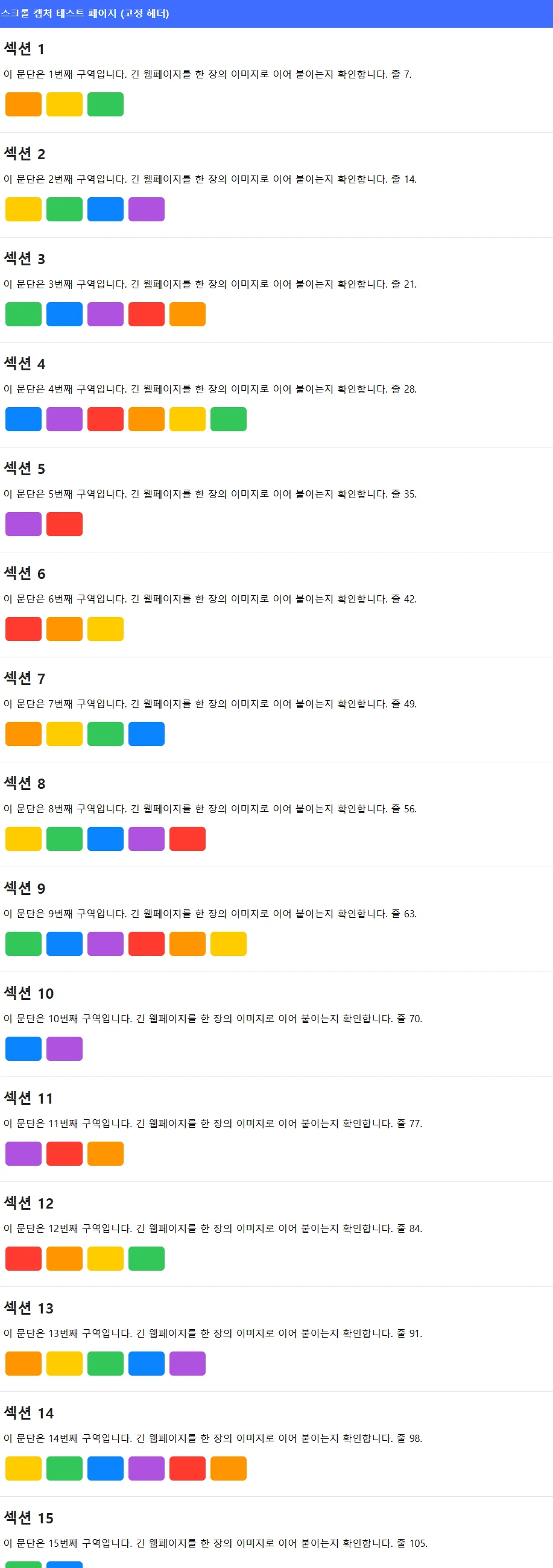
Scrolling capture scrolls the selected area down by itself, matches up the overlapping parts, and stitches everything into one image. A sticky menu bar at the top is kept only once.
Ctrl+Shift+4 Scrolling capture
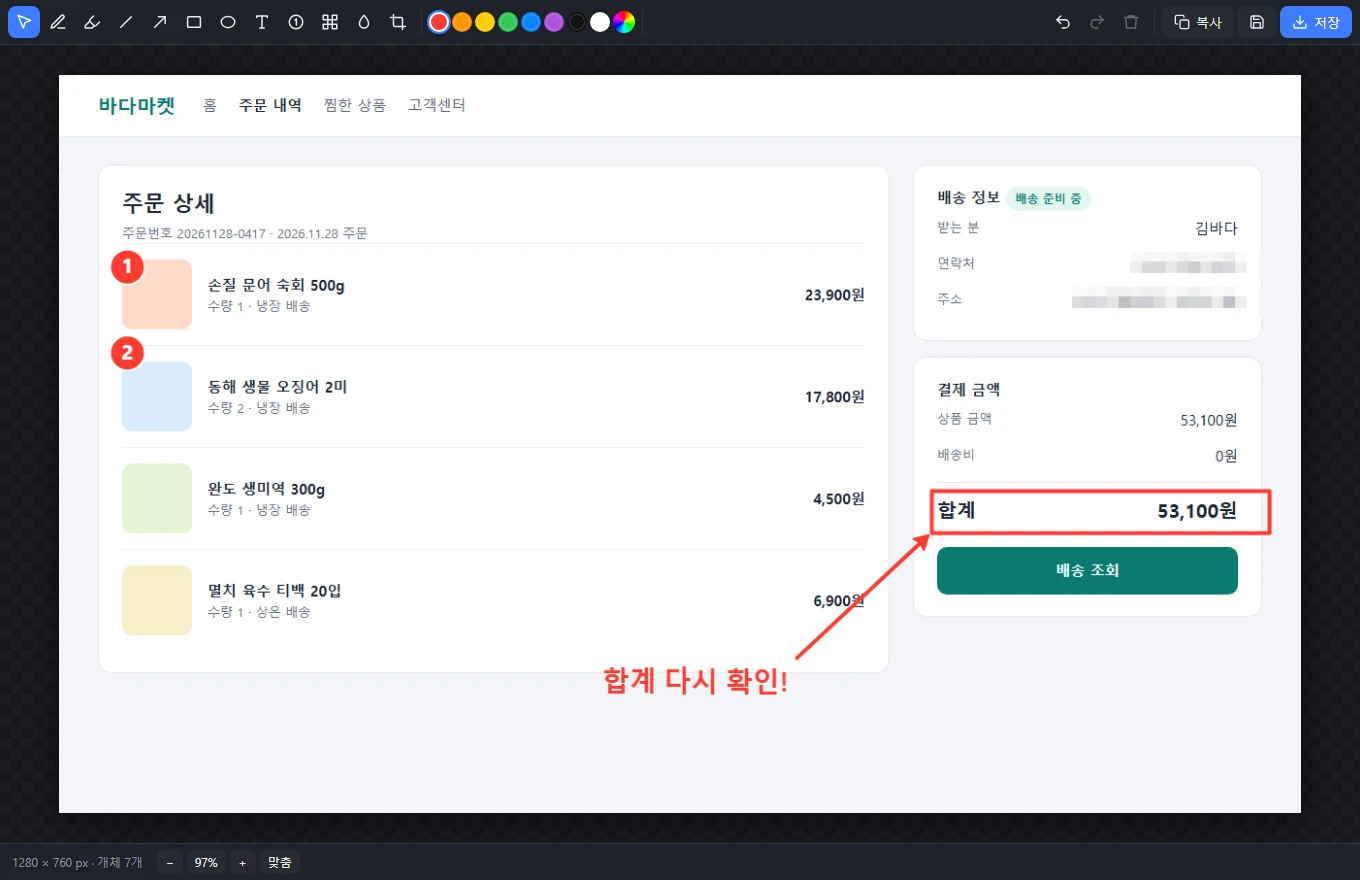
The editor opens as soon as you capture. Pixelate a phone number, add arrows and numbers to what matters, then copy or save it as is.