



Peek inside without extracting
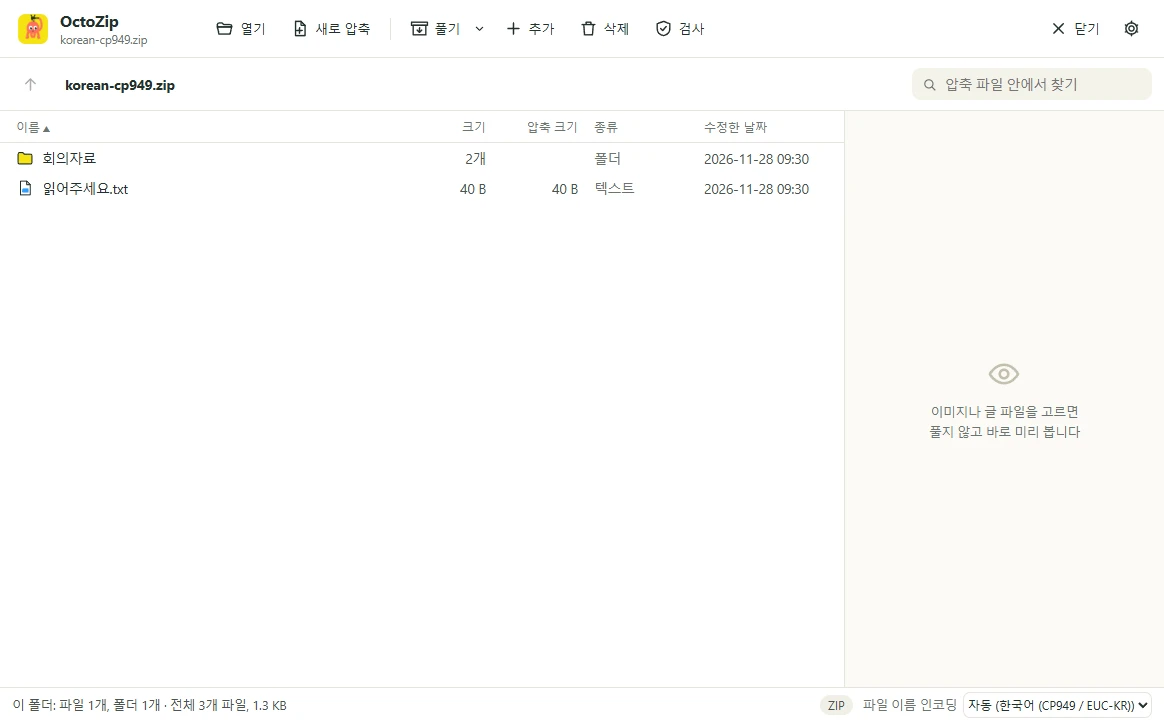
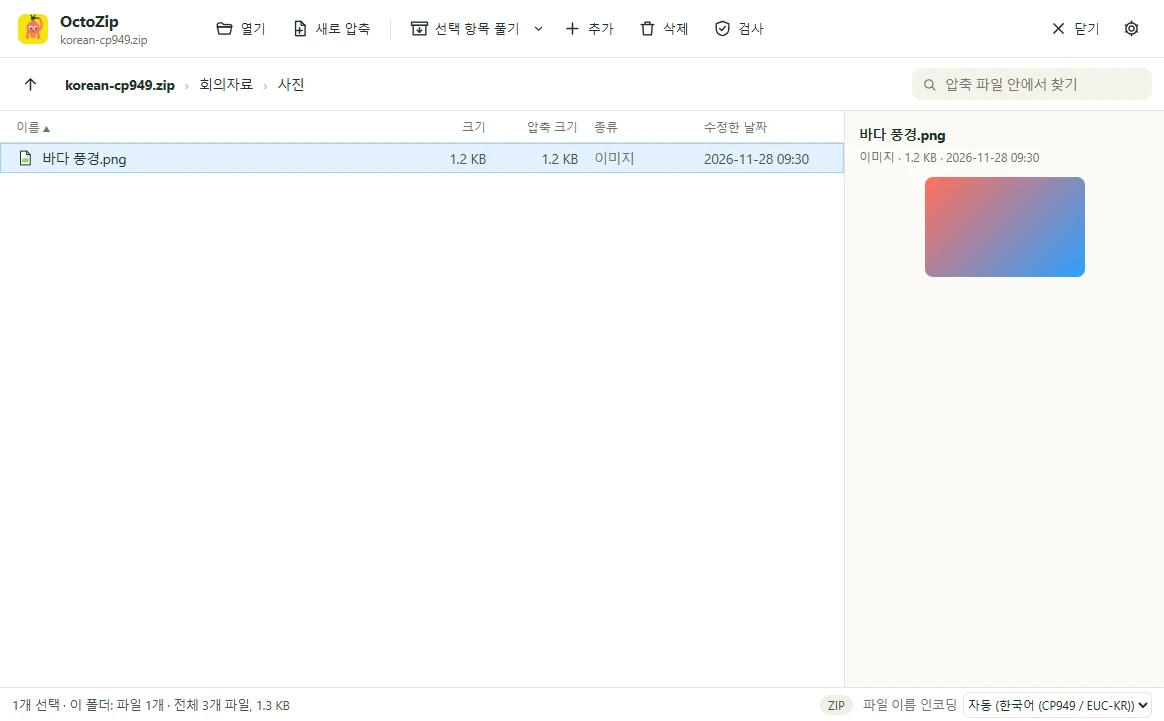
Open an archive and it looks like a folder. Just select photos and text files to see them on the right. Korean names stay as they are.

A free archiver that extracts zip, 7z, and rar and creates zip and 7z. Even zips made on Korean Windows or with ALZip open without garbled Korean file names.
The app interface is currently in Korean only.
The archive engine is the proven open-source 7-Zip, bundled as is.
zip, 7z, rar (extract only), tar, gz, bz2, xz, zst, iso, cab, lzh, and any other format 7-Zip can read.
Automatically detects CP949(EUC-KR) zips and opens them without garbled names. You can also choose Japanese or Chinese encodings.
Navigate folders, sort by name, size, or date, search inside the archive, and use the keyboard.
Images and text files show up instantly on the right.
Drag selected files to your desktop or File Explorer and they're extracted right there.
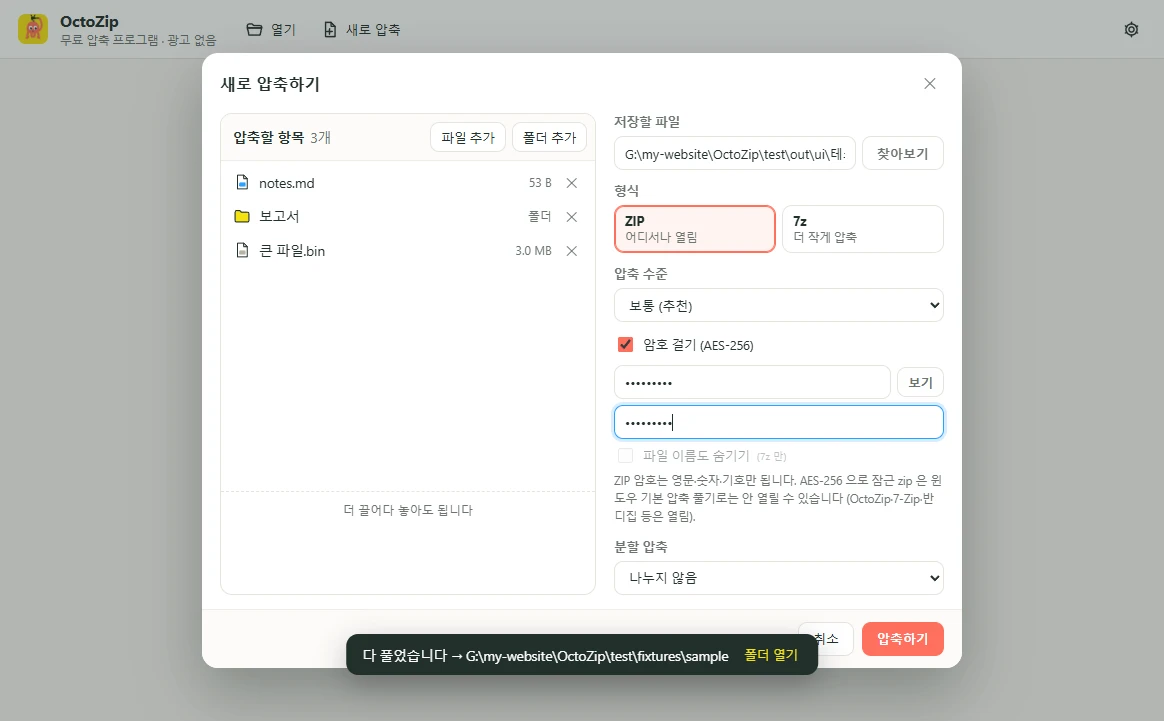
zip / 7z, 5 compression levels, AES-256 encryption (7z can also hide file names), split archives.
Add or delete files in zip, 7z, and tar, and check that an archive is intact.
Password needed or wrong, corrupted file, missing part, not enough space, and more, explained in plain words.
Turn it on in Settings to get "Extract here," "Extract to folder name," and "Compress with OctoZip." Off by default.
Everything below is the real OctoZip. The documents and files shown were made for testing.
Open an archive and it looks like a folder. Just select photos and text files to see them on the right. Korean names stay as they are.
Drag in your files, choose the format, compression level, password, and split size, and you're done.
A few things worth knowing up front.
Bundled with 7-Zip 26.02 (© Igor Pavlov), unmodified, under the LGPL. The full license text is in the app under Settings → License.