
Custom area capture
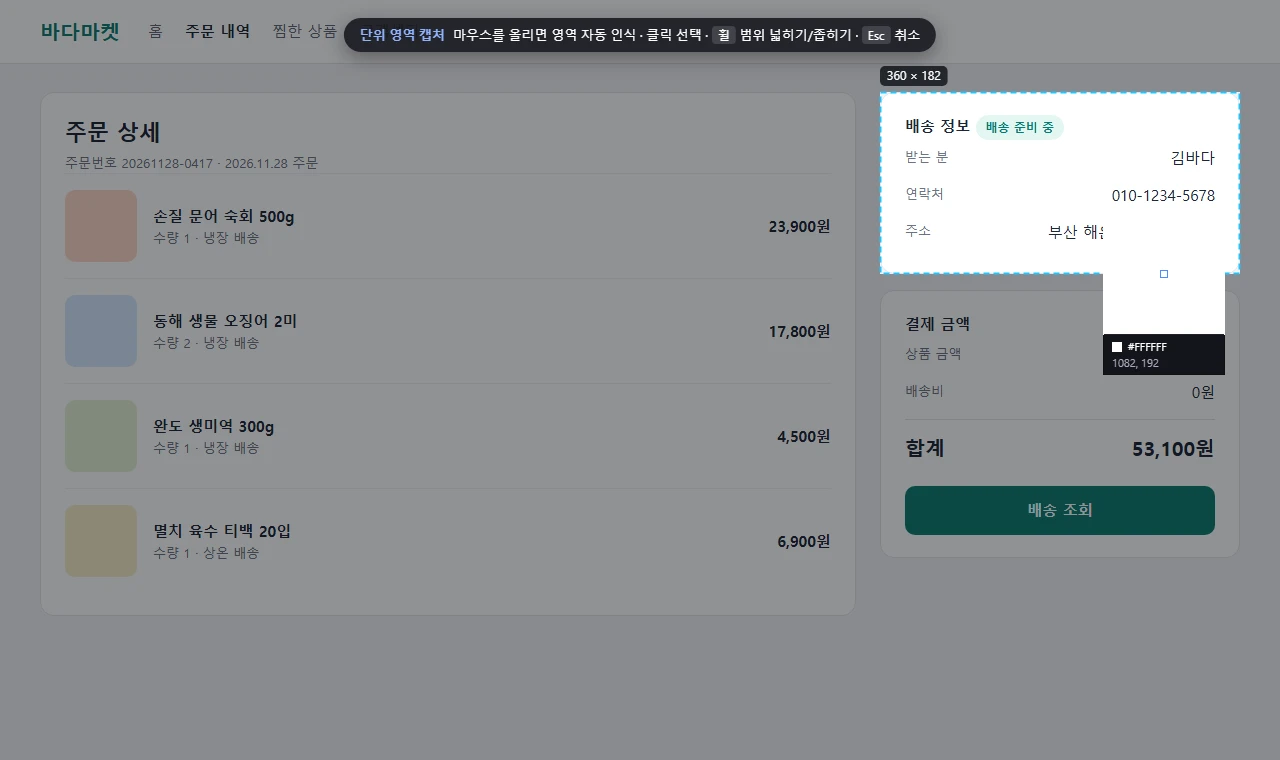
Just what you drag. Line it up to the pixel with the magnifier, and drag the corners to resize.
CtrlShift1

A capture tool that lets you edit on the spot. Grab just the part you want, a single window, or a whole long web page, and add text, arrows, and pixelation right away.
The app interface is currently in Korean only.
Whichever you choose, it takes one shortcut. The captured image goes straight to your clipboard and the editor opens. You can change shortcuts in Settings.
Just what you drag. Line it up to the pixel with the magnifier, and drag the corners to resize.
CtrlShift1
Pick one from the list of open windows and capture only that window, at its original resolution.
CtrlShift2
A whole monitor, the one your mouse is on.
CtrlShift3
Scrolls down on its own and stitches it all into one image. You can scroll by hand too.
CtrlShift4
Finds buttons, cards, and panels by itself. Use the wheel to widen or narrow the selection.
CtrlShift5
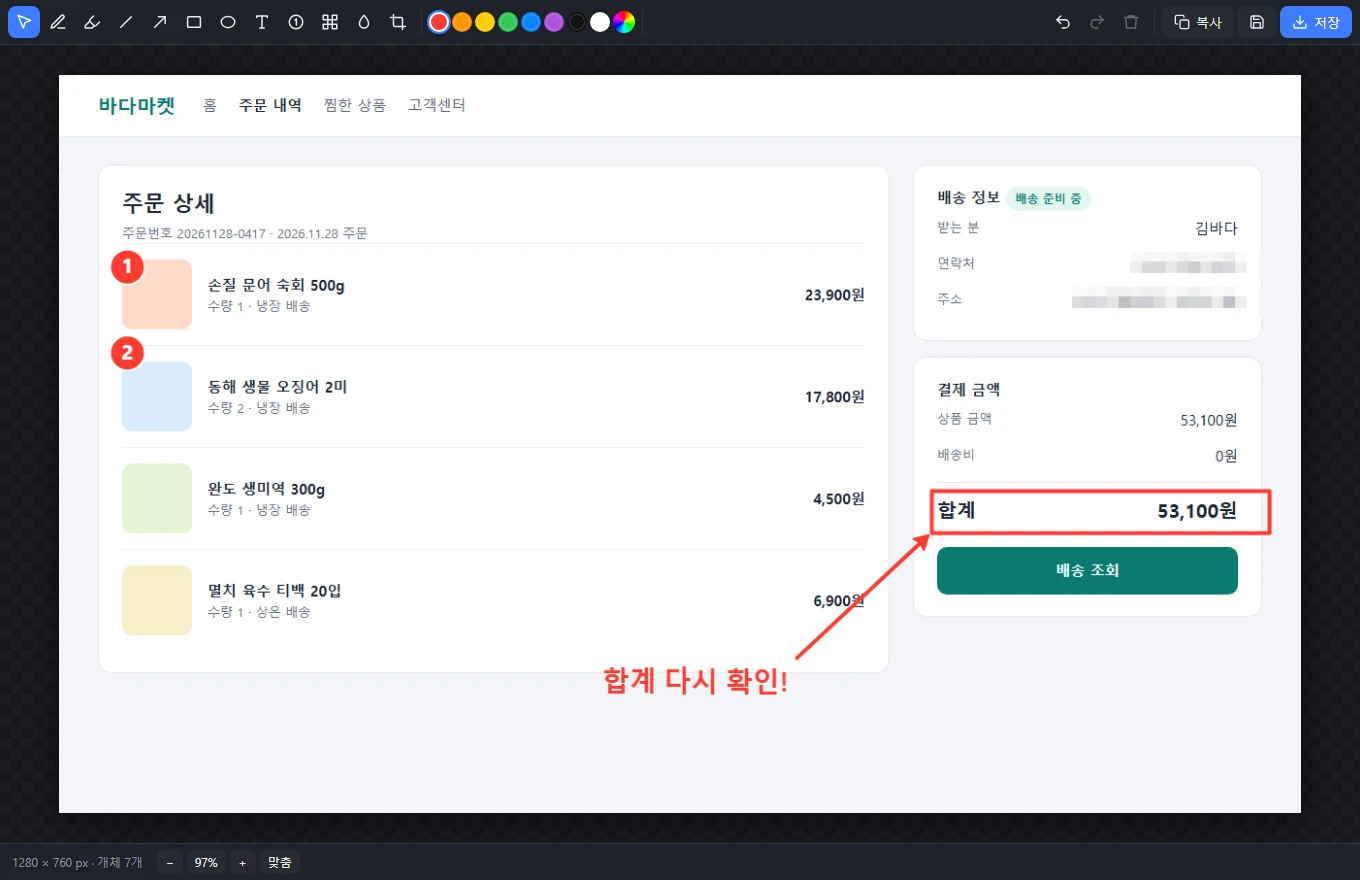
Each tool has its own letter key. Change a selected object's colour and thickness right away, and double-click text to edit it again. Keys 1–8 pick colours.
| Tools | Key | What it does |
|---|---|---|
| Select · move | V | Move and resize objects |
| Text | T | Korean text works fine, and you can add a background box |
| Arrow | A | Hold Shift for neat 45° steps |
| Line | L | Underlines, dividers |
| Rectangle · circle | R E | Outline or fill |
| Number | N | Auto-numbers 1, 2, 3… with each click |
| Pen · highlighter | P H | Draw and paint freely |
| Pixelate | M | Hide phone numbers and addresses |
| Blur | B | Hide softly |
| Crop | C | Keep only the part you need |
| Copy · save | Ctrl C · S | As PNG or JPG |
Newest version first. New releases are noted here first.