



Whole folder at a glance
Each video appears as a thumbnail with its length, resolution, and codec. Hover and move the mouse left and right.
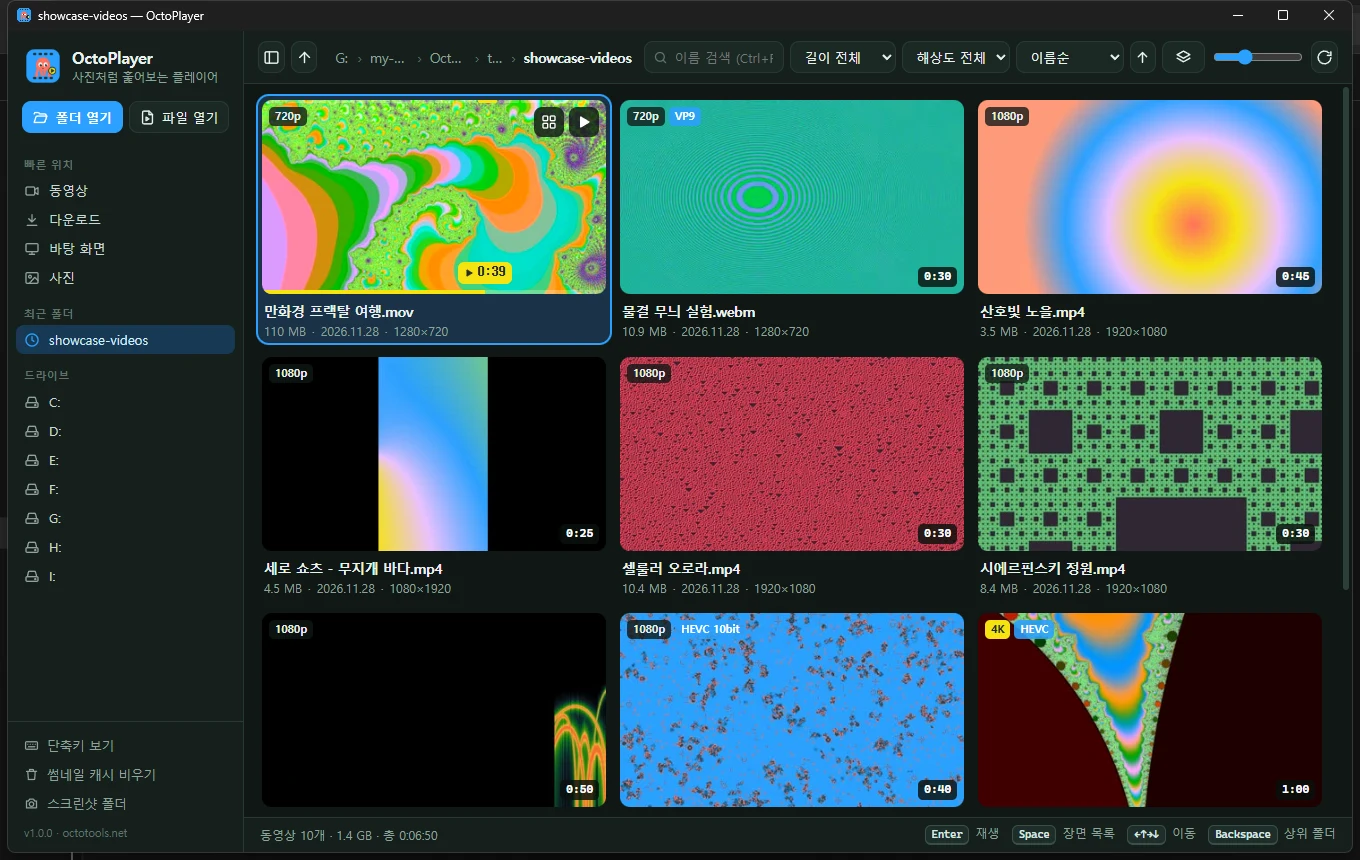

No need to open videos one by one. Open a folder and the thumbnails spread out like photos; move the mouse left and right and the scenes inside each video flip by.
The app interface is currently in Korean only.
Playback runs on the mpv engine and handles mkv, HEVC, AV1, 10bit, and HDR smoothly.
Move the mouse left and right over a thumbnail and the 16 scenes in the video change instantly. Click the lower part to play from that scene.
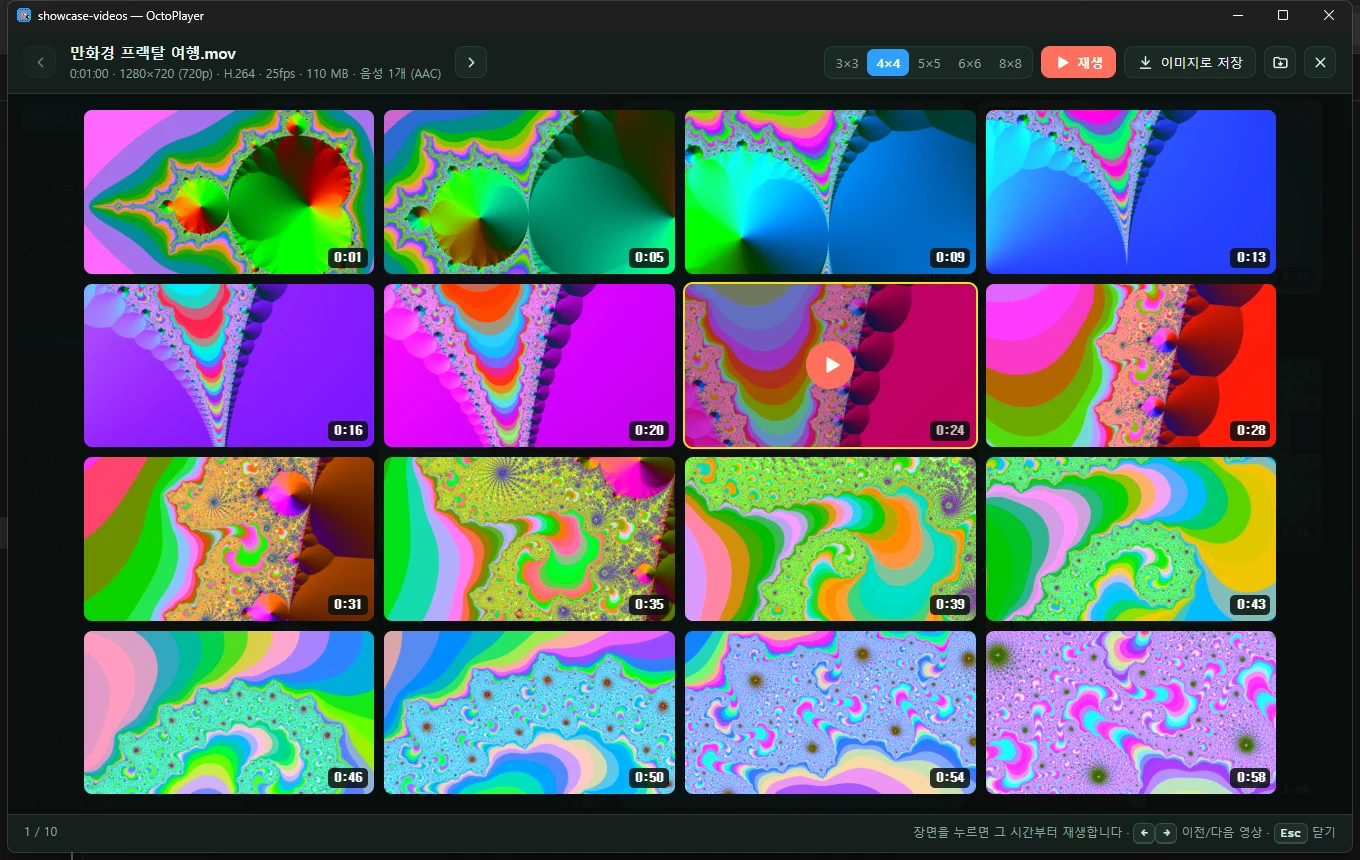
Spread one video out as a 3×3 to 8×8 grid of scenes and play from any scene you click. You can also save it as a single image.
Sort by name, date, length, size, or resolution; filter by length, resolution, format, or name.
Thumbnails are made in the background and saved to disk, so they appear instantly from the second time on.
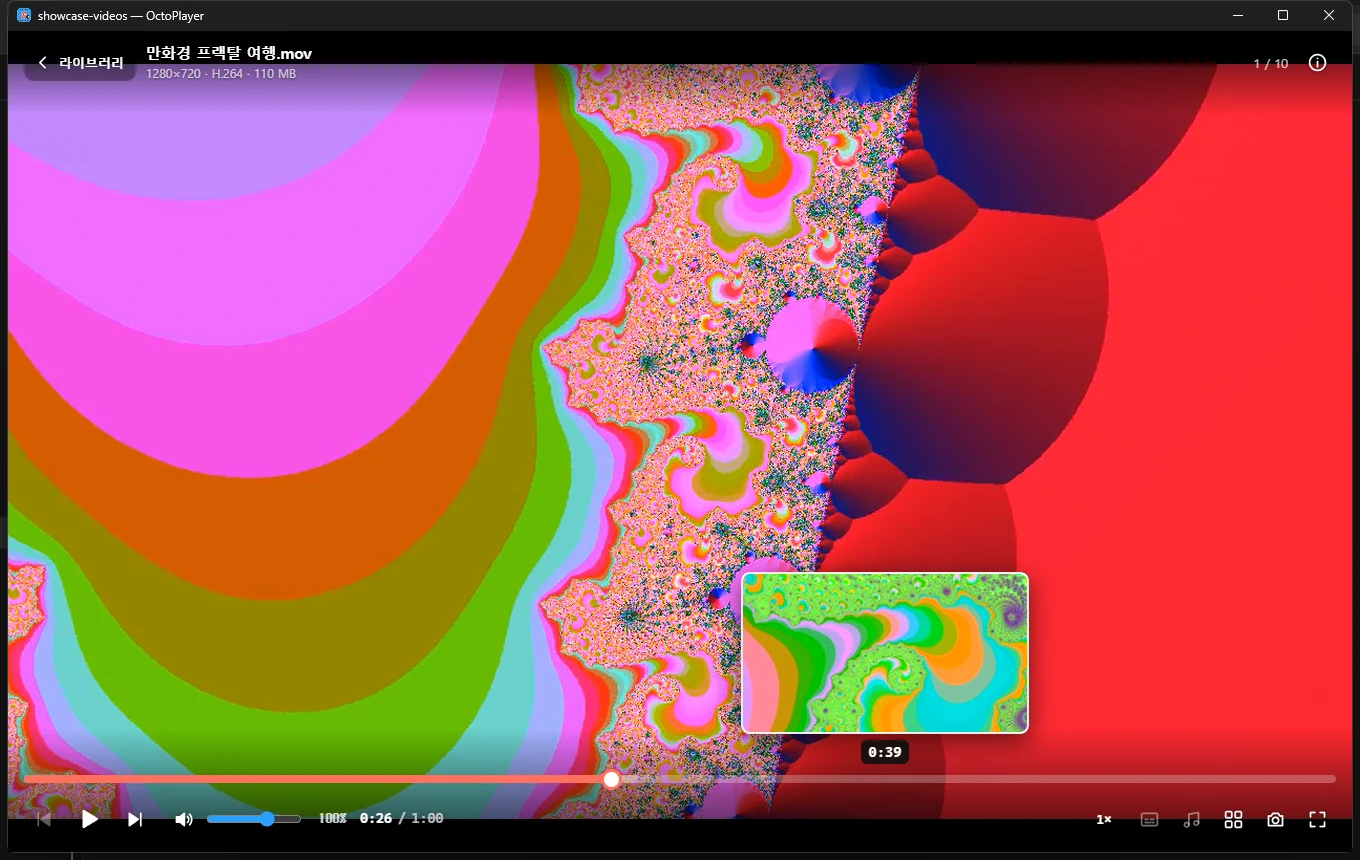
While playing, hover over the seek bar to see the scene at that time.
mkv, mp4, webm, mov, avi, ts, and more. H.264, HEVC, AV1, VP9, 10bit, HDR, and hardware decoding.
Embedded and external subtitles, sync adjustment, audio track switching, playback speed 0.25×–4×, A-B repeat.
Remembers where you stopped in each file and picks up from there when you reopen it.
Space, ← →, [ ], F, and the other keys mpv users already know by heart.
Everything below is the real OctoPlayer. The documents and files shown were made for testing.
Each video appears as a thumbnail with its length, resolution, and codec. Hover and move the mouse left and right.
Open the scene list and the whole video spreads out on one screen. Play from whichever scene you click.
Hover over the seek bar to see the scene at that time.
If you've used mpv, there's nothing new to learn.
| What it does | Key | Description |
|---|---|---|
| Play · pause | Space | |
| Skip 5 sec / 1 min | ← → · ↑ ↓ | Shift for 1 sec |
| Speed | [ ] · { } | Backspace resets to 1× |
| Full screen | F | Double-click works too |
| Switch subtitles · sync | J · Z X | |
| Audio track | # | |
| Scene list | G | Panels during playback |
| Screenshot | S | Pictures › OctoPlayer |
A few things worth knowing up front.
mpv (GPL) for playback and FFmpeg (LGPL) for thumbnails are bundled as separate, unmodified programs. Full licence texts and sources are in resources › bin › licenses in the install folder, and we'll send you a copy of the mpv source on request.