



Annotate as you read
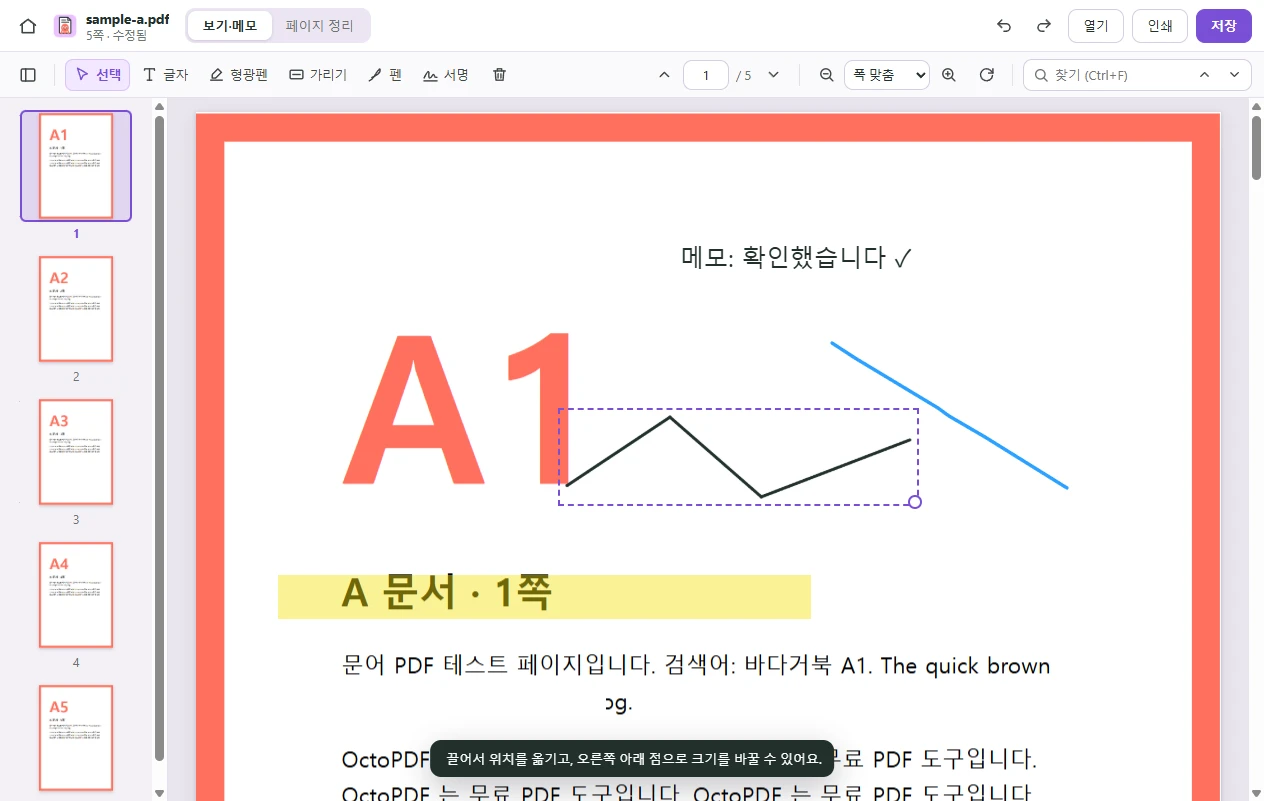
Mark up with text, highlighter, redaction, and pen, then drag to move or change colour and size. Undo (Ctrl+Z) works too.

A free PDF tool to view, annotate, sign, merge, and split PDFs. Everything is processed on your own computer, and your files are never sent over the internet.
The app interface is currently in Korean only.
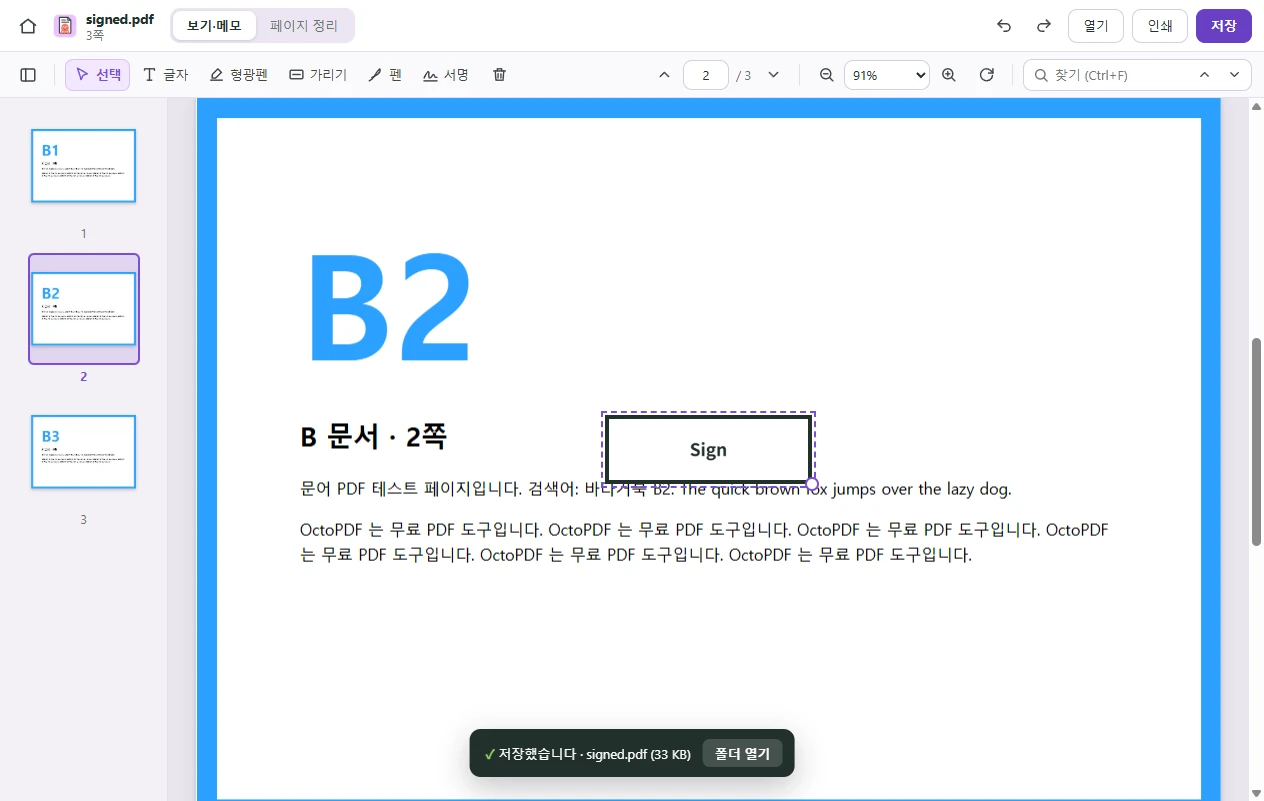
Edited results are always saved as a new file. Your original stays untouched.
Continuous scroll, zoom (25–400%), page list, and text search across the whole document.
Text, highlighter, redaction (white box), and pen. Draw your signature, or load a signature or stamp image and save it for later.
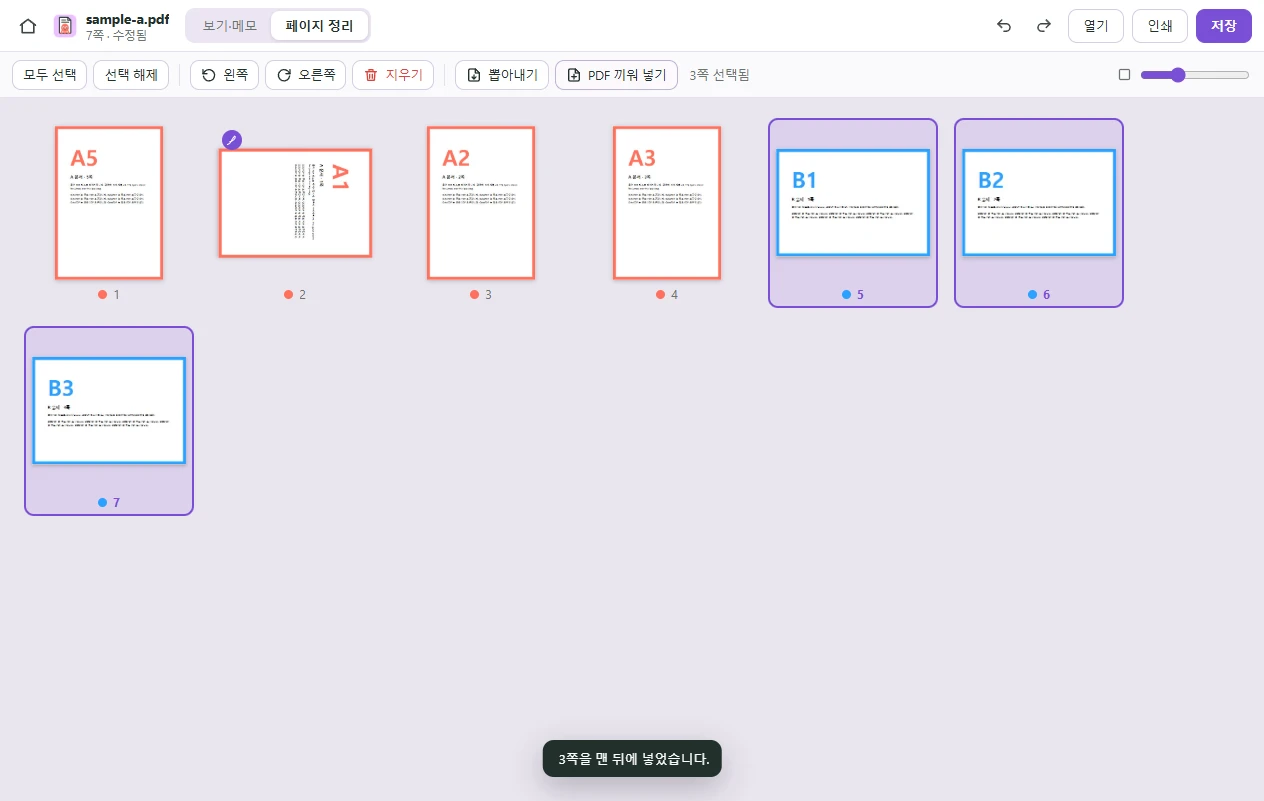
Drag pages to reorder, rotate, delete, insert another PDF, or pull out just the pages you pick.
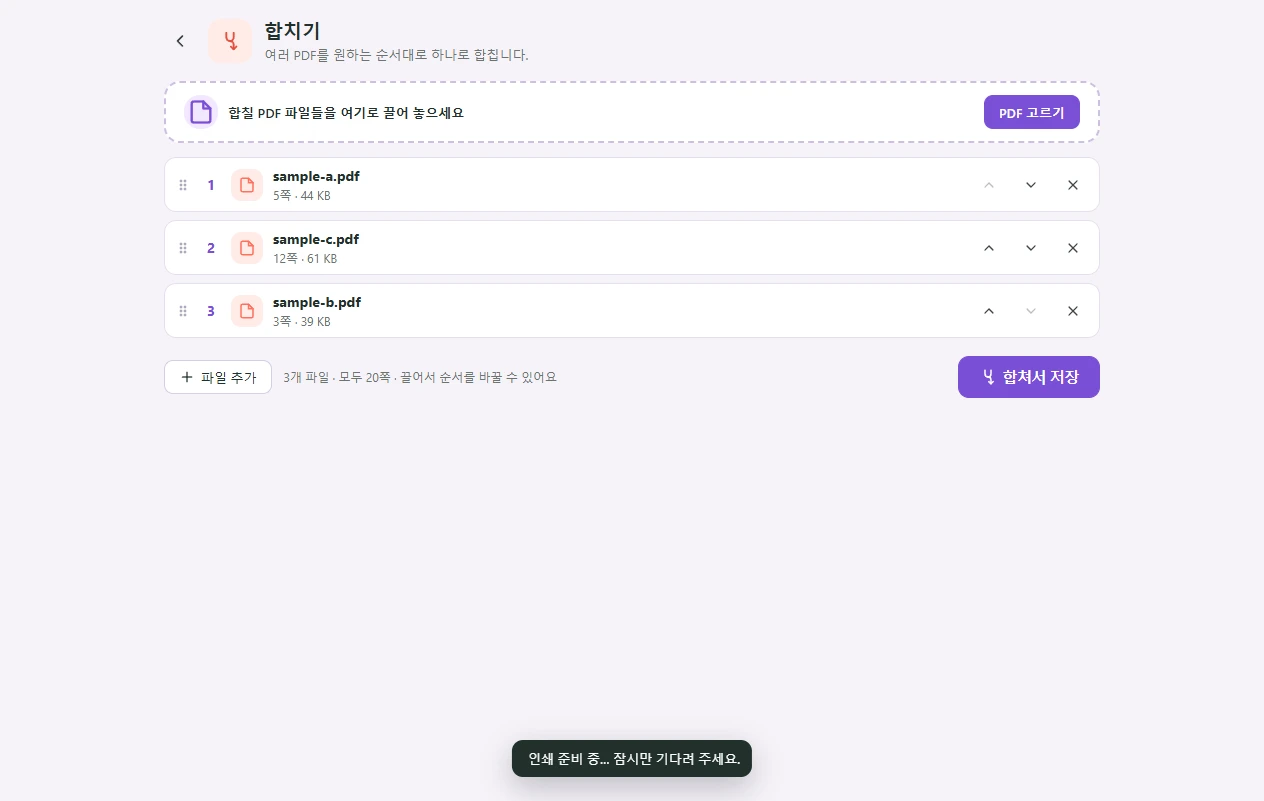
Combine several PDFs into one in any order. Split by page range, every set number of pages, or one page at a time.
Turn JPG, PNG, WEBP, and other images into one PDF (A4, Letter, etc.; phone photo rotation is respected). Save each page as PNG or JPG.
Light (tidies the structure) or strong (re-saves pages as images, good for scanned documents). Shows the resulting size first.
Drop one PDF on the window to open it, several to merge them, or images to create a PDF.
Prints with your notes, page order, and rotation applied.
Once installed, OctoPDF appears in the "Open with" list for PDFs. It never changes your default app on its own.
Everything below is the real OctoPDF. The documents and files shown were made for testing.
Mark up with text, highlighter, redaction, and pen, then drag to move or change colour and size. Undo (Ctrl+Z) works too.
Select several pages in the page grid to move, rotate, or delete them together, and insert another PDF wherever you like.
Drag in your files, set the order, then click "Merge and save."
Each annotation tool has its own letter key.
| What it does | Key | Description |
|---|---|---|
| Open · save · print | Ctrl O · S · P | Save as a new file |
| Find | Ctrl F | Enter for next |
| Undo · redo | Ctrl Z · Y | |
| Zoom in · zoom out · fit width | Ctrl + − 0 | |
| Select · text · highlighter | V T H | |
| Redact · pen | W P | |
| Delete note · page | Delete |
A few things worth knowing up front.